What is a 302 redirect?
A 302 redirect is a temporary redirect, as opposed to, for example, a 301 redirect which is a permanent redirect. In other words, a forwarding from one address to another.
An example could be a 302 redirect from the address https://www.eksempel.dk/gammel-adresse to https://www.eksempel.dk/ny-adresse.
When you then attempt to access https://www.eksempel.dk/gammel-adresse, you will be sent to https://www.eksempel.dk/ny-adresse. Through the status code "302", search engines are told that this is a temporary redirect. But why is this so important?
Why is it important to set up the right redirects?
From an SEO perspective, it is important that the correct redirects are created when you redirect from your old addresses to the corresponding new ones.
The type of redirect in question (301, 302, etc.) has an impact on how search engines perceive the forwarding and the value passed from the address being redirected from and to.
Officially, Google has announced that there is no difference between redirect types in terms of the amount of value passed. However, our experience suggests this is not entirely accurate, and we therefore generally recommend that when permanently removing URLs, you create 301 redirects to the corresponding new addresses.
The few cases where a 302 redirect is the correct choice include situations where it is genuinely a temporary redirect — for example, if on Black Friday you have created a specific Black Friday landing page at https://www.eksempel.dk/blackfriday.
In such a case, it makes sense to create a 302 redirect from e.g. https://www.eksempel.dk to https://www.eksempel.dk/blackfriday.
Be aware of whether 301 or 302 redirects have been set up
For the reasons mentioned above, it is important that you keep track of which type of redirects are being created on your website when content is moved from one address to another, or removed entirely.
For this purpose, you can make good use of the Google Chrome extension "Redirect Path": https://chrome.google.com/webstore/detail/redirect-path/aomidfkchockcldhbkggjokdkkebmdll?hl=da.
This extension quickly shows you if a redirect occurs when you access a given address, as well as which type of redirect it is:
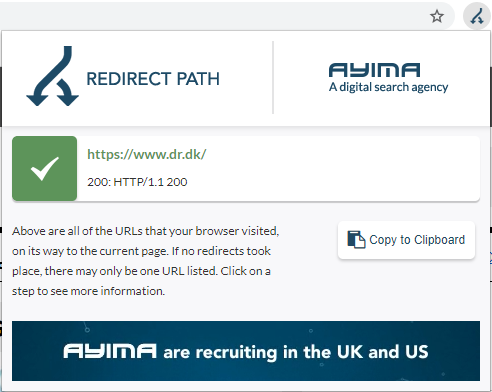
In the vast majority of cases, you should raise an eyebrow if you encounter any redirect type other than a 301 redirect, as 301 redirects are most often the correct type to create.
What is a 302 redirect?
A 302 redirect is a temporary redirect, as opposed to, for example, a 301 redirect which is a permanent redirect. In other words, a forwarding from one address to another.
An example could be a 302 redirect from the address https://www.eksempel.dk/gammel-adresse to https://www.eksempel.dk/ny-adresse.
When you then attempt to access https://www.eksempel.dk/gammel-adresse, you will be sent to https://www.eksempel.dk/ny-adresse. Through the status code "302", search engines are told that this is a temporary redirect. But why is this so important?
Why is it important to set up the right redirects?
From an SEO perspective, it is important that the correct redirects are created when you redirect from your old addresses to the corresponding new ones.
The type of redirect in question (301, 302, etc.) has an impact on how search engines perceive the forwarding and the value passed from the address being redirected from and to.
Officially, Google has announced that there is no difference between redirect types in terms of the amount of value passed. However, our experience suggests this is not entirely accurate, and we therefore generally recommend that when permanently removing URLs, you create 301 redirects to the corresponding new addresses.
The few cases where a 302 redirect is the correct choice include situations where it is genuinely a temporary redirect — for example, if on Black Friday you have created a specific Black Friday landing page at https://www.eksempel.dk/blackfriday.
In such a case, it makes sense to create a 302 redirect from e.g. https://www.eksempel.dk to https://www.eksempel.dk/blackfriday.
Be aware of whether 301 or 302 redirects have been set up
For the reasons mentioned above, it is important that you keep track of which type of redirects are being created on your website when content is moved from one address to another, or removed entirely.
For this purpose, you can make good use of the Google Chrome extension "Redirect Path": https://chrome.google.com/webstore/detail/redirect-path/aomidfkchockcldhbkggjokdkkebmdll?hl=da.
This extension quickly shows you if a redirect occurs when you access a given address, as well as which type of redirect it is:
In the vast majority of cases, you should raise an eyebrow if you encounter any redirect type other than a 301 redirect, as 301 redirects are most often the correct type to create.
If you are unsure whether the redirects on your website are set up correctly, or if you have other questions about 302 redirects or redirects in general, do not hesitate to contact us at 30 12 42 72.


