301-redirects: How to maintain your strong rankings
Many internet users save shortcuts to pages they like. These links are typically stored as bookmarks in their browser or on their desktop so they can easily find the page again.
But what happens to those saved links if you change the URL of part or all of your website? In the worst case, everyone who has saved the old URL may land on a blank page with a 404 error message or see the message “page cannot be displayed”.
To ensure that interested users and potential customers don’t hit a dead end when visiting your website, it is important to set up an instant redirect. One effective method is a 301-redirect, which forwards users or browsers to the new URL.
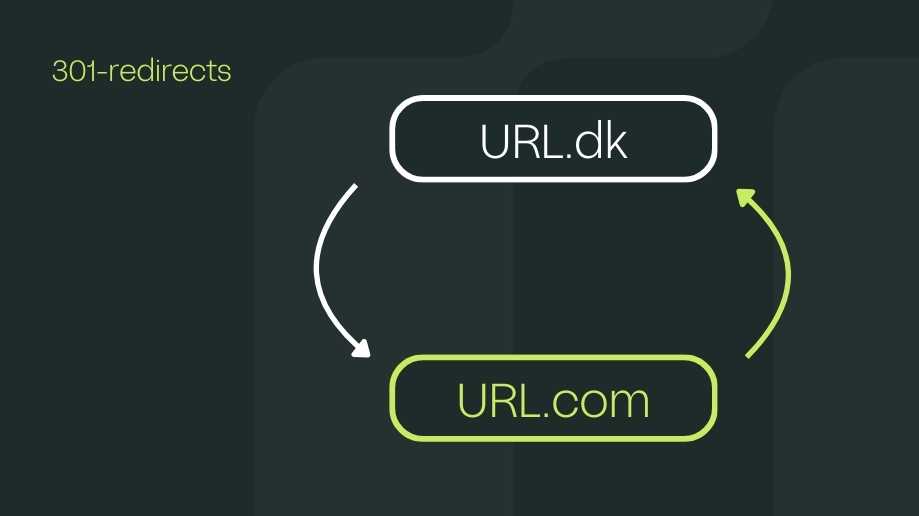
Redirects are important in many scenarios. For example, when migrating a website from one TLD to another (e.g. from .dk to .com), mistakes are frequently made. Another common mistake is redirecting only product category pages but not product detail pages (PDPs). We know that in the worst case this results in lost revenue, because larger webshops receive a significant portion of their traffic to product pages from Google.
Link value is transferred too
If you have a subpage that is linked to, it gains value from the pages linking to it. In Google’s terminology, this value is called PageRank, and it indicates a page’s position in search engines based on the number of links pointing to it. Factors that influence PageRank include: the number of links, relevance, and the credibility of the source.
If a link suddenly leads nowhere because the page has moved to a new URL, the link loses its value — unless you set up a 301-redirect. If, on the other hand, you redirect your subpage to the new URL with a 301, the link value moves with it, and only a small portion of the old links is lost.
If a 301-redirect is set up correctly, search engine crawlers will follow the redirect so that users land on the new pages being referenced. This way, link value is maintained despite the new URL.
Redirects in practice
When you use a 301-redirect, you are telling Google and other search engines that a page on your website has changed its address. This is a message sent from your web server to the search engines, making it clear that a search for the old page should lead them to the new URL. This process happens behind the scenes and is invisible to the user, who simply experiences being taken to the new location without delay.
Although 301-redirects are the most recommended method for handling permanent changes to your website’s structure, they carry a certain risk in terms of SEO. This is because a small amount of your page’s PageRank can be lost with each redirect. But remember, PageRank is just one of many factors Google uses to determine where your website ranks in search results.
For a complete migration, such as from HTTP to HTTPS, loss of PageRank is typically not a problem, making 301-redirects particularly useful in these cases. Setting up 301-redirects can be done in several ways, either directly on the server or via configuration files such as .htaccess, which are relevant for PHP-based websites. Most modern CMS systems and e-commerce platforms, such as Shopify, offer built-in tools to handle these redirects easily and efficiently.
However, it is important to be aware that too many 301-redirects can slow down your website’s load time, creating a poor user experience and ultimately harming your PageRank as well. To avoid this, it is essential to keep your internal links updated so they point directly to the new URLs, thereby avoiding unnecessary redirects.
Regularly removing irrelevant or outdated redirects can also help keep your website fast and efficient. If your system automatically creates redirects when URLs are changed, it is also important to monitor the number of these to ensure your website remains as responsive as possible.
Is link equity lost with 301-redirects?
In the marketing and SEO world, there has long been a perception that using redirects, such as 301-redirects, could diminish a webpage’s "value" or PageRank — a concern for many. Historically, it was believed that a 301-redirect could result in up to 15% loss of a URL’s PageRank, a theory confirmed back in 2013 by Matt Cutts, a well-known software engineer. This was particularly problematic in connection with HTTPS migrations, which often required multiple 301-redirects.
However, the digital world has evolved, and the current understanding, supported by statements from Google’s John Mueller in 2017 and 2018, is that modern search engines can handle redirects effectively, especially if complex redirect chains are avoided. Redirects do not necessarily diminish a webpage’s PageRank today, provided they are used correctly. Specifically, standalone 301-redirects, without extended chains of redirects, can now pass PageRank with almost no loss. If a page is moved and correctly redirected, it therefore retains its value in the eyes of search engines.
When it comes to redirecting 404 error pages, John Mueller also emphasises that this should only be done if there is a direct replacement for the page in question. Otherwise, Google may treat these as "soft-404s", which are handled as ordinary 404 errors.
Redirects, including 301-redirects, are therefore no longer the value-diminishing factor they once were, as long as they are used thoughtfully and without creating complex chains. Correct use of redirects can preserve a page’s SEO value and support a good user experience.
Create great experiences for both search engines and users
It comes as no surprise that the previously mentioned 404 errors are unsustainable for both search engines and users. Over time, search engine bots will stop crawling the page unless it is linked to both externally and internally, and users will refrain from returning.
There are, however, cases where it is acceptable to leave a 404 error in place. For example, if a webshop previously had three categories — golf clubs, golf gloves, and golf carts — and now migrates to a new CMS while discontinuing the golf carts category for various reasons because it is no longer relevant to their business. In such a case, it makes sense to let all pages in the golf carts category return a 404, since the page in question no longer exists.
That said, there may be user experience benefits to performing redirects regardless. For example, if the user is directed to a page that provides value to them, even if it was not exactly what they were looking for. We therefore recommend always being mindful of the consequences and solutions that come with new URLs.
Implement redirects according to best practice
To preserve your website’s SEO value and ensure a good user experience, it is essential that you implement 301-redirects correctly. The process for setting up these redirects varies depending on the server type your website runs on. For example, if you use Apache or Nginx, 301-redirects can be configured through the .htaccess file or directly within the server’s configuration files.
CMS systems often offer plugins or built-in features that simplify the process. In special cases, it may be necessary to manually add redirect code to your .htaccess file or server configuration, which requires a certain level of technical knowledge.
To maximise the effectiveness of your 301-redirects and ensure strong SEO performance, it is essential to follow some key principles. These principles not only help preserve link equity but also ensure a good user experience. Here are the principles you should follow:
- Targeted use: Use 301-redirects for permanent changes such as moving a website to a new URL, changing the URL structure, or merging content.
- Maintain relevance: Ensure that the new URL is as closely related to the original as possible to maintain SEO value and ensure a smooth user experience.
- Avoid redirect chains: Implement direct redirects rather than long chains of redirects to minimise loss of PageRank and improve the user experience.
- Test: Verify that your redirects work correctly and that no broken links or other technical issues arise.
- Update internal links: Avoid unnecessary redirects by updating internal links so they point directly to the new URL.
By following these guidelines, you will be able to maintain your website’s PageRank and support an efficient user journey without significant loss of value.
Improve your online presence today
301-redirects are an essential tool if you want to move a subpage or an entire website to a new URL without losing valuable traffic or search engine rankings. It requires both strategy and in-depth knowledge of SEO.
If you would like to learn more about how to work effectively with 301-redirects and get help increasing your webshop’s traffic and value, you are more than welcome to contact us!


