What is indexing and what does it mean?
The term "Indexing" covers the process that takes place immediately after search engines have crawled a given URL.
It is precisely in this process that the search engine, using complex algorithms and over 200 ranking signals, decides how the SERP should look for different keywords.
You could also say that this is the process that makes all the online material Google's crawlers have found searchable. During the indexing process, low-quality content is deprioritised, identical content may be removed entirely, pages with robots="noindex" tags are removed, and so on.
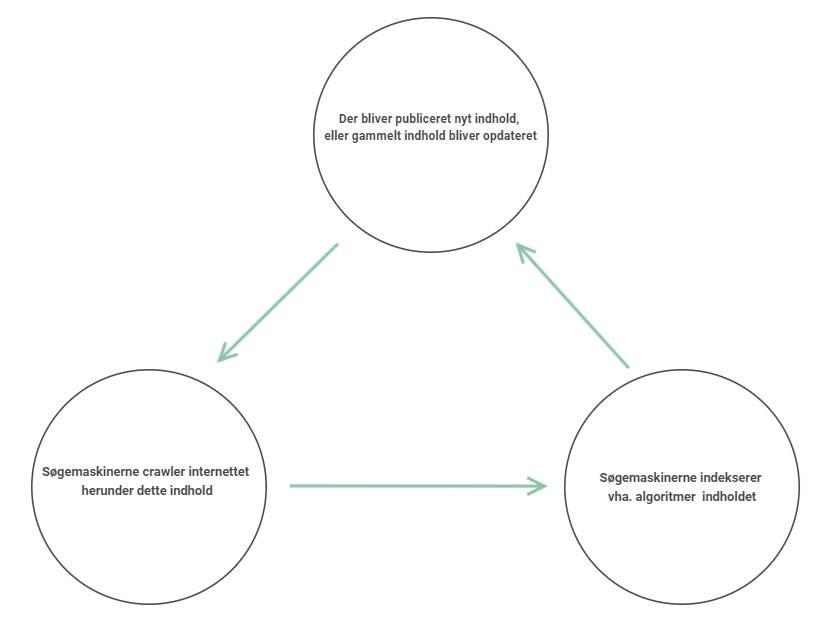
Like crawling, indexing is an ongoing process that never ends, as Google's crawlers are constantly discovering new content that needs to be crawled and subsequently indexed.
See the illustration below for a clearer picture of this:
How can I see which of my pages are indexed?
To see how many of the pages on your website are indexed, you have a couple of options, though we generally recommend one over the other.
Google Search Console
One option for seeing the number of indexed URLs for your website is through Google Search Console. If you navigate to this tool and select "Coverage" in the left-hand menu:
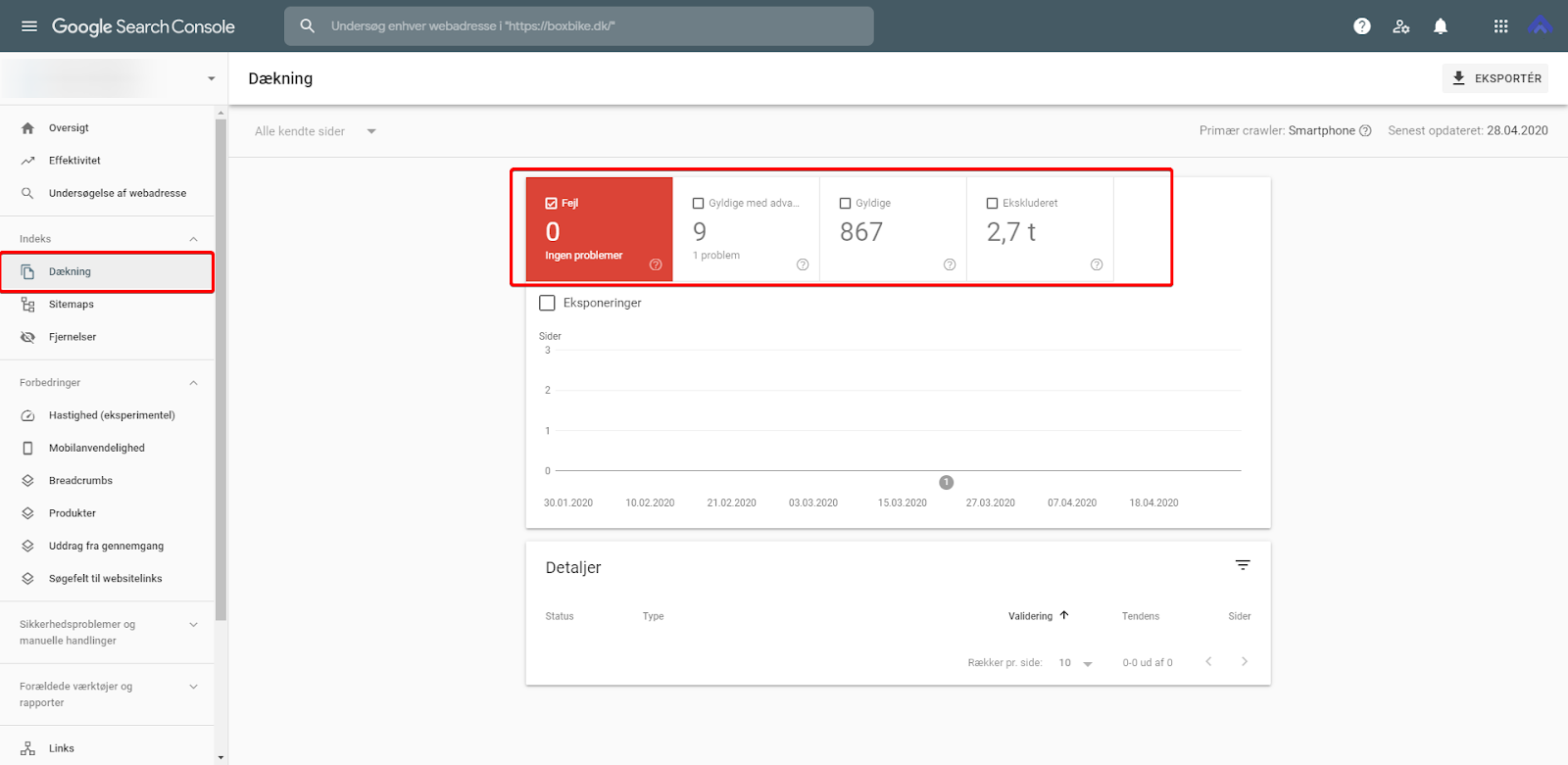
You will then be presented on the right with a wealth of statistics on Google's coverage of your website. If you click on "Valid", you will see the URLs that Google currently has indexed.
Site: search
The next option for checking the number of indexed pages is by using the "site:" command directly in the search engine itself — both Bing and Google support this command.
To see the URLs on your website that Google has in their index, simply type "site:yourdomain.com" into the search field, and all search results will exclusively be results from your domain.
In our experience, these two methods of checking the number of indexed pages for a given domain are the most reliable.
However, we quite often see that the number of indexed pages in Google Search Console differs from the number of indexed URLs in the SERP when performing a "site:" search:
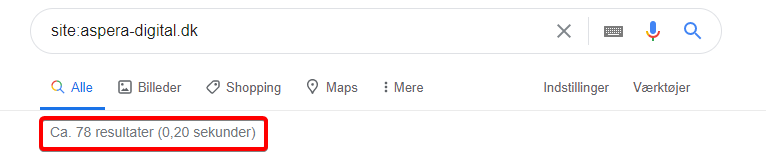
We generally recommend trusting the number reported in Google Search Console over the number shown in the SERP, as the latter can often depend on device, Google account, and many other factors.
This is of course because Google generally adjusts their search results based on a great many factors, and results are not the same from device to device, and so on.
Furthermore, the number of results in a "site:" search is also prefixed with "approx.", which further suggests that Google makes allowances for the number of results for that particular search.
Are you unsure how your website is being indexed?
Contact us at 30 12 42 72, and we'll help you optimise your visibility in the search engines!


