Give your recipients a break – without losing them
By offering your subscribers a temporary opt-out option, you show consideration, reduce the risk of unsubscribes and preserve your relationship with the recipient. When inboxes become flooded during campaign periods, many subscribers will appreciate the ability to say: "I'd like to stay on your list – but I don't need 10 emails about Mother's Day."
An opt-out feature gives your recipients control and shows that you respect their preferences. It can be the difference between a temporary pause and a permanent unsubscribe.
How to set up an opt-out in Klaviyo – step by step
With Klaviyo, you can easily implement a solution that allows recipients to opt out of campaigns during particularly busy periods. Here we guide you through the process
- Create a Property
- Create an email with the option to opt out of peak season emails
- Create a segment
- Exclude the segment from your peak season emails
- Test, test, test!
Here is the step-by-step guide:
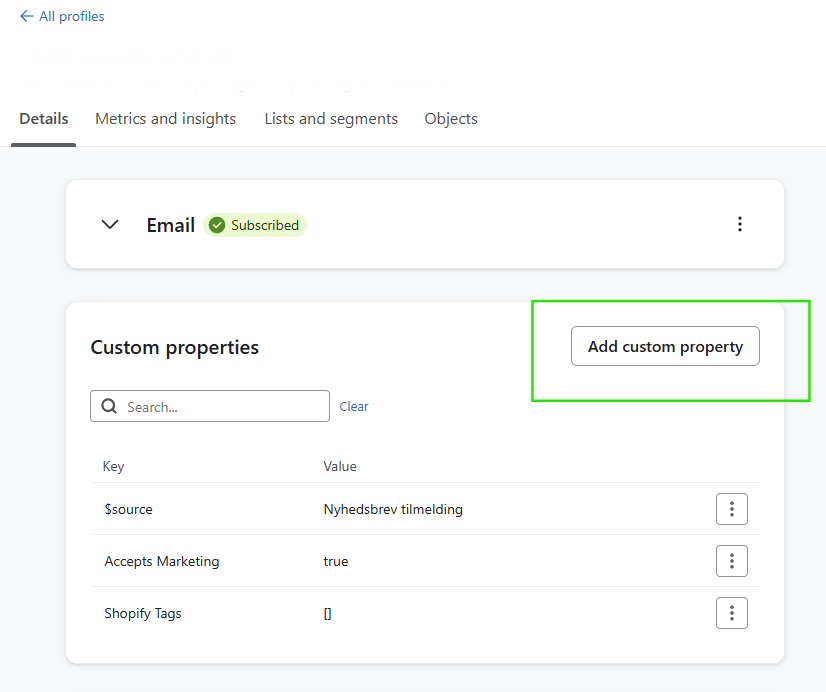
1. Create a new property in Klaviyo
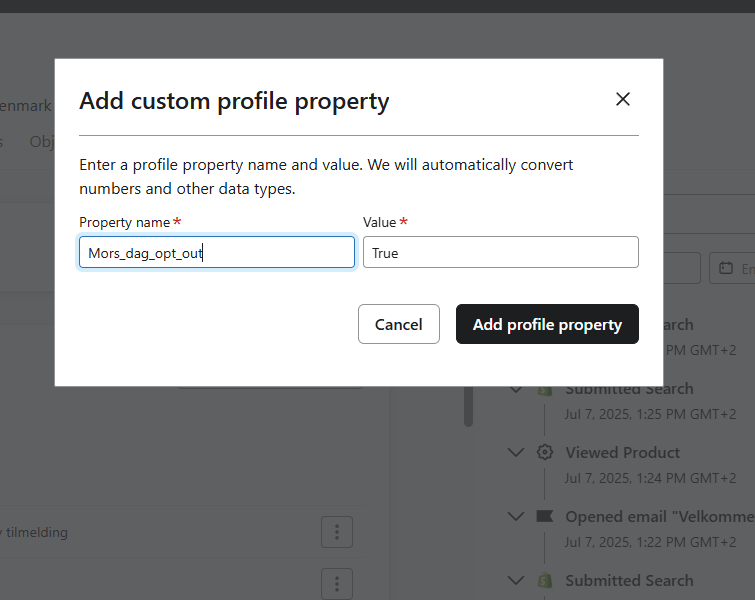
Go to Profiles and select Add custom property.
Name the property based on your campaign, e.g. MothersDay_OptOut, and set the value to True or Yes.
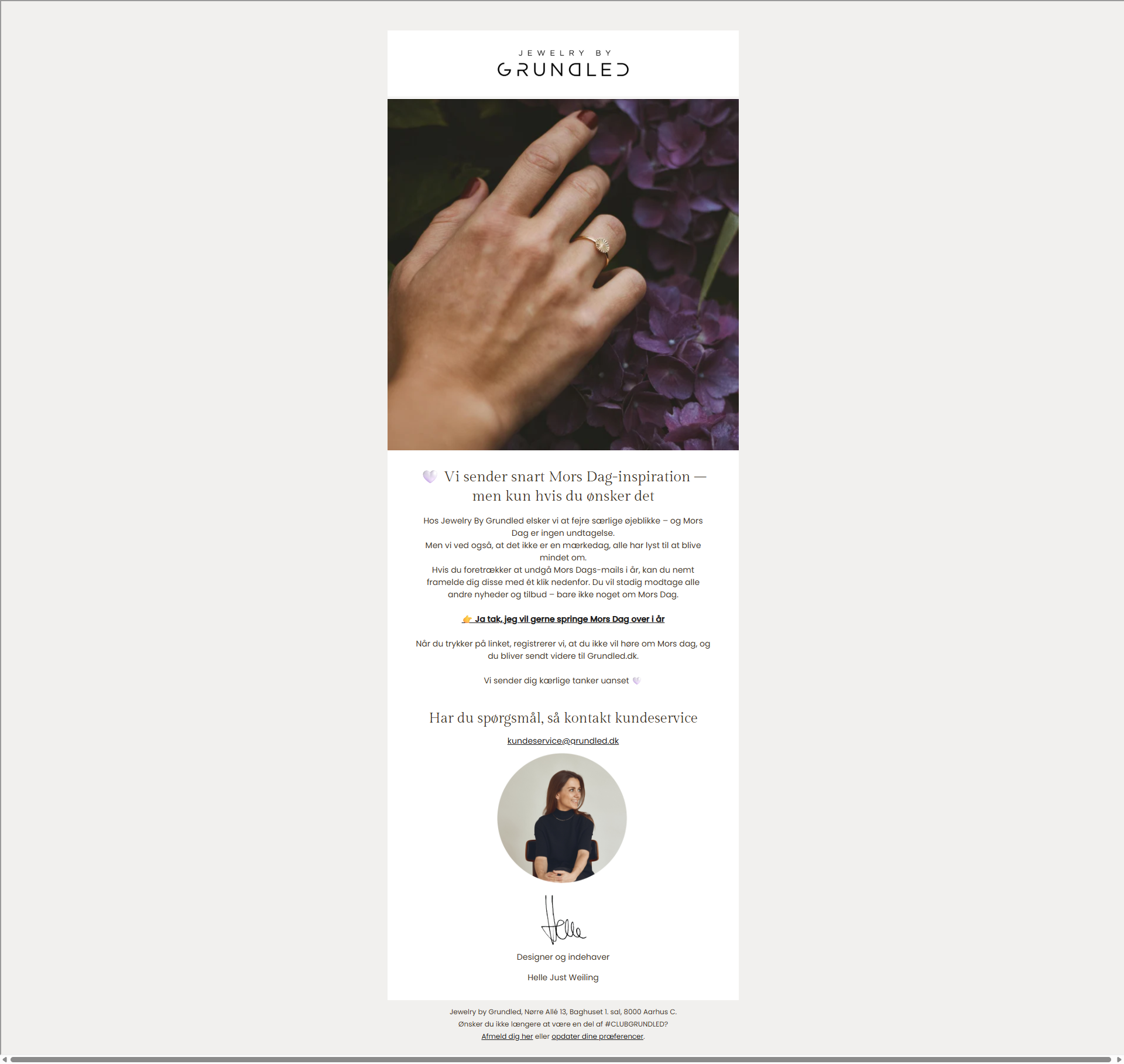
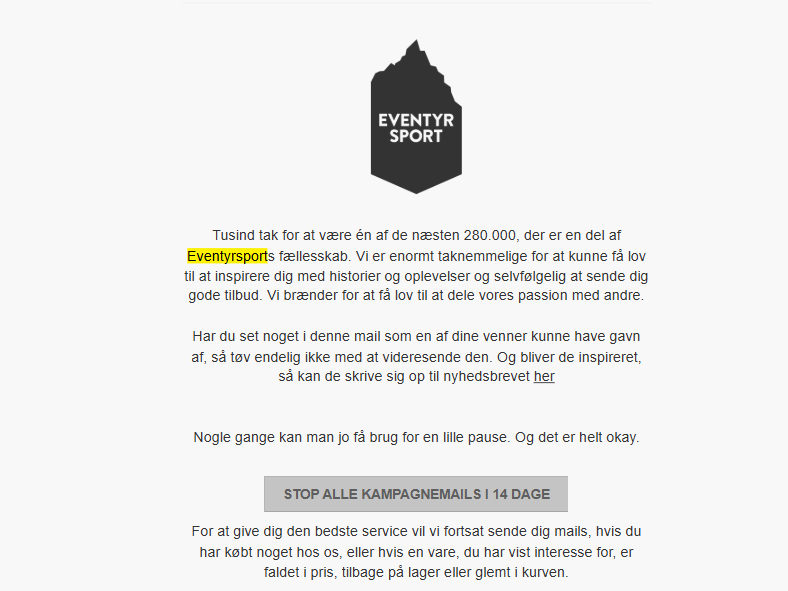
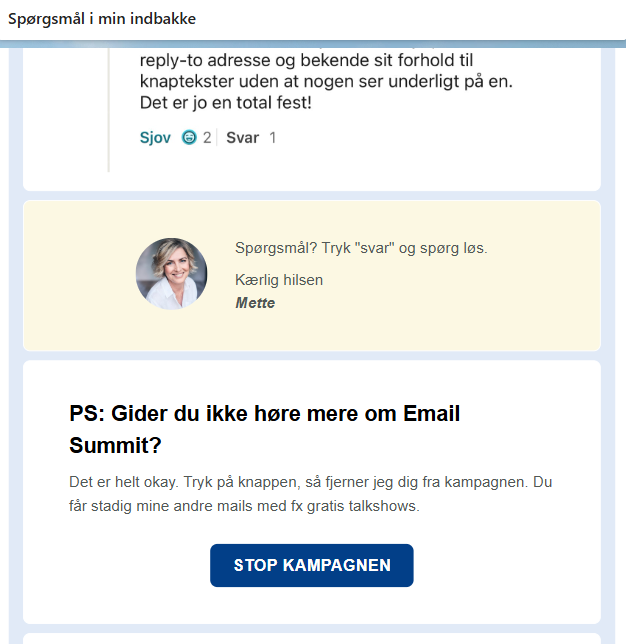
2. Create an email with an opt-out link
Design an email with:
- A relevant hero image
- A short, explanatory text
- A clear button or text link with options such as:
“Opt out of this campaign”
“My inbox needs a break”
“Yes please, I'll skip Mother's Day this year”
Insert a dynamic link on the button that updates the property: {% update_property_link 'MothersDay_OptOut' 'True' 'https://dinhjemmeside.dk/tak' %}
Replace MothersDay_OptOut and the link with what suits your campaign.
Create a new segment with the following criterion: Property MothersDay_OptOut equals True
Optionally also add: “The person can receive email marketing” = True
4. Exclude the segment from your campaigns
When setting up your peak season campaign, exclude this segment from the recipient list. This way, those who have chosen a pause will not receive campaign emails.
5. Test the setup thoroughly
Klaviyo does not show property updates in preview emails. Instead, test with a real campaign:
- Create a test segment with your own email
- Send the campaign to this segment
- Click the opt-out link
- Go to your profile in Klaviyo and check whether the property has been updated to
True
Conclusion
By giving your subscribers the option to opt out of campaigns during peak periods, you demonstrate respect and understanding – while also protecting your email list from unnecessary churn. A simple opt-out solution can have a significant impact and contribute to a more sustainable email strategy.


