Google has just launched an exciting new feature – the "store widget", designed to help e-commerce businesses build trust and increase sales. This new tool allows you to display your store's Google rating, customer reviews, and important information such as return and shipping policies directly on your website. This makes it easier for customers to gain insight into what others think of your store, which can lead to higher conversion rates and increased customer trust.
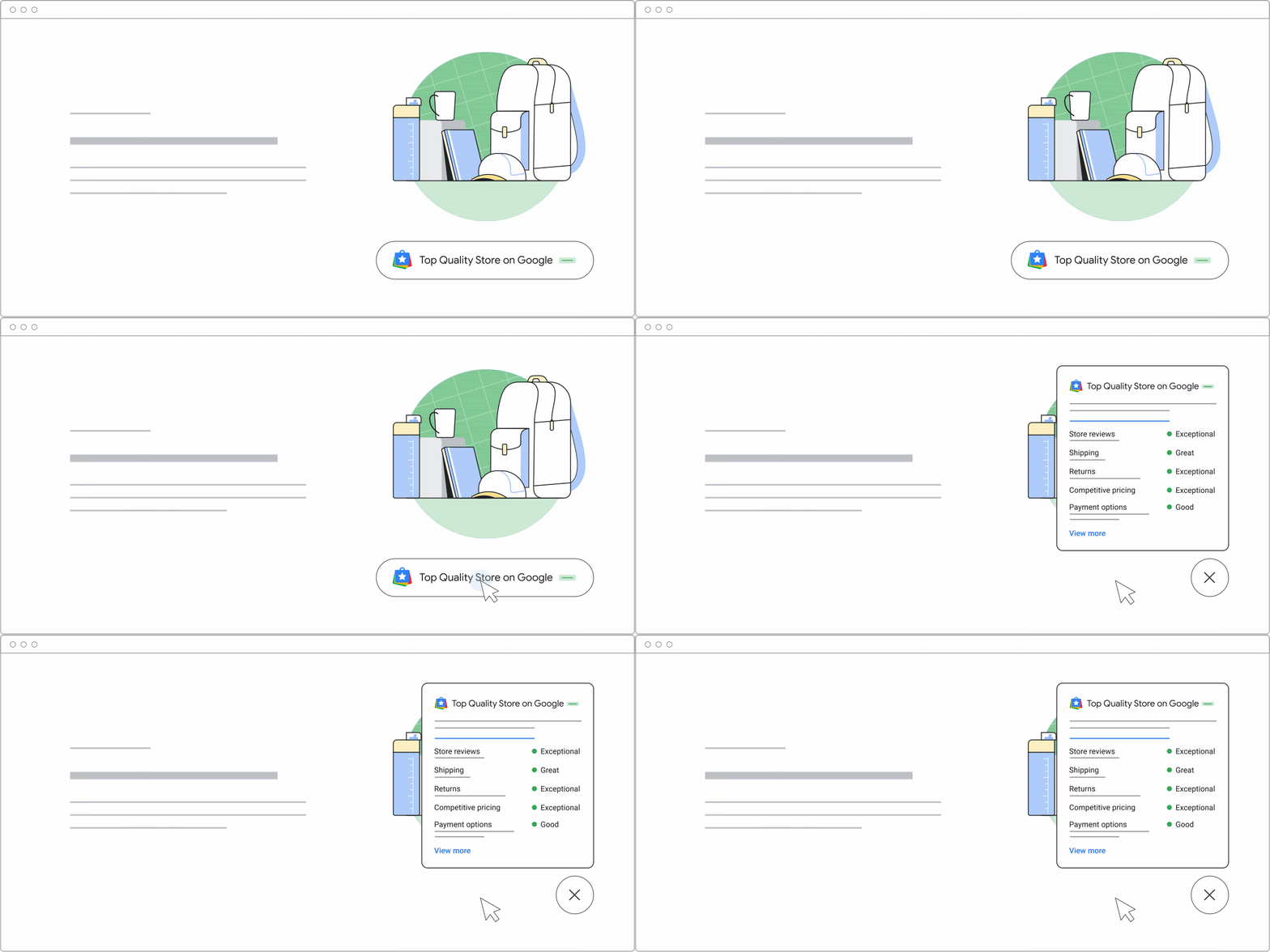
Key features of Google's new store widget
- Showcase your quality: The widget displays your store's Google rating, customer reviews, and important information such as return and shipping policies directly on your website. It gives your customers the information they need to feel confident shopping with you.
- Increased conversions: According to Google, businesses that have integrated the widget have seen an increase of up to 8% in sales within the first 90 days. This means the widget not only helps build trust, but also actively contributes to higher sales figures.
- Three levels of the widget: The new widget comes in three versions:
- Top Quality: For stores with the highest rating and outstanding customer reviews.
- Store Rating: For stores with an average rating level.
- Generic version: A more basic version that can be used by any webshop.
Each version is tailored to the store's performance and allows you to choose the variant that best reflects your business's reputation.
- Easy installation: The widget is straightforward to implement on your website. No technical knowledge is required – you simply insert it as an embed code. It will automatically display relevant information to your customers and do the trust-building work for you.
Why does this matter?
For e-commerce businesses, customer trust is one of the most important factors in increasing conversions and sales. A potential customer will often consider a range of factors before deciding to purchase a product online. They will examine your store's reputation, customer reviews, and return policies to ensure they are making a good purchase. Google's new "store widget" makes it possible for your webshop to showcase these elements in a visible and easily accessible way.
As more customers shop online, it is important to stand out and offer a transparent and reliable shopping experience. This is especially important when competing for attention in a market full of alternatives. By integrating the widget on your website, you can help customers make a decision faster and more informedly, which can ultimately lead to higher conversion rates and sales.
How do you implement the widget?
Integrating the widget on your website is a simple process. Follow these steps:
- Access the widget: Go to Google Merchant Center, where the widget is available.
- Choose the version that suits your store: Select between Top Quality, Store Rating, or the generic version.
- Generate the embed code: Once you have chosen your desired version, a code is generated that you can copy.
- Insert the code on your website: Place the code on the desired page, typically on your product page or the front page of your webshop.
- Check the integration: Once the code is installed, make sure the widget displays correctly and shows the necessary information.
With this widget, you can quickly and effectively build customer trust, making it easier for potential customers to make a purchase decision.
Wrapping up
Google's new store widget is a fantastic opportunity to improve your visibility and credibility with customers. It is an effective way to demonstrate that your store is reliable, and it helps build trust among customers, which is essential for increasing your conversion rate.
Read more about this widget here.


