What is Google Merchant Center?
Google Merchant Center is a Google tool for businesses in which they can upload their product data (often called a product feed) to Google to make it available in Google Shopping and similar Google services. Such as dynamic ads, display network, and more.
Below you can see an example of products pulled from the respective companies' Google Merchant Center and displayed in Google Shopping for the search "nike sneakers":
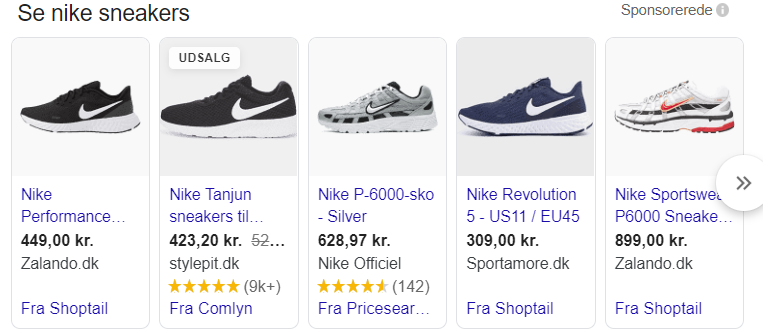
Google Merchant Center is therefore the place where you manage your product data for your Google advertising, and also where you receive notifications about product rejections, feed errors, or similar issues.
Guide: How to use Google Merchant Center
Using and setting up Google Merchant Center is in reality not that difficult. We have broken it down into 5 short, concrete steps you can follow:
- Create a Google account (if you don't already have one, e.g. in the form of a Gmail) at https://accounts.google.com/
- Go to merchants.google.com
- Log in with your Google Account
- Click "Get started"
- Simply follow the instructions provided.
At its core, using (and setting up) Google Merchant Center is very straightforward.
Where it can cause difficulties is in creating the actual product feed from your website. We will not go into further detail on this here, as it depends on your CMS system and your own technical capabilities.
Are you ready to optimise your Google Shopping campaigns with Google Merchant Center?
Fill in the form below, or call us on 30 12 42 72 for a no-obligation chat about how we can help you with the setup and optimisation of your product feed.


